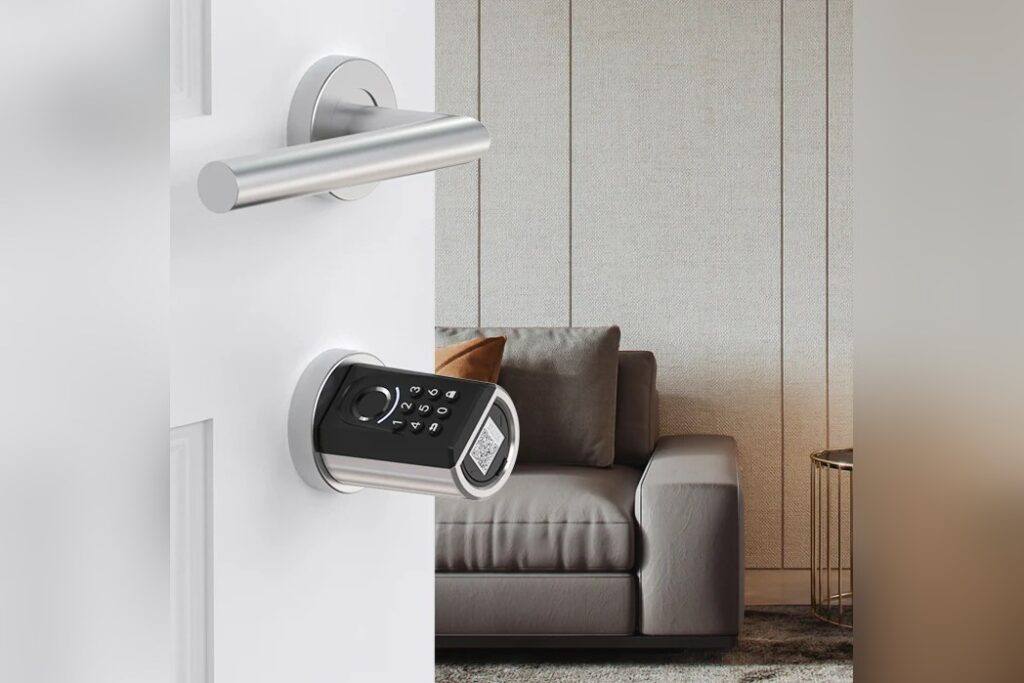
TOKYO, September 12 — SwitchBot has a new keypad for its smart door locks, and the company’s pitch is simple: let your face do the work of a key. The Keypad Vision Pro, reviewed today by Simon Lüthje in a seven-minute piece for the Consumer Electronics, Gadgets & Accessories section, is the direct successor to the earlier SwitchBot Keypad Vision. SwitchBot makes security products — locks, keypads, and smart accessories — and the Vision Pro works with the classic SwitchBot Lock, the Lock Pro, and the Lock Ultra.
So if you already own one of those locks, this is an add-on rather than a replacement.
What’s actually new here
Here’s the honest answer: not much, at least on paper. According to the review, the difference between the Keypad Vision and the Keypad Vision Pro is not particularly significant. Both share the same dimensions, the same weight, and the same built-in battery.
Both can store up to 100 different faces. And both recognize them in the dark, thanks to infrared technology.
Think of it like a phone upgrade that keeps the same body and screen — the changes live in the details, not the spec sheet.
What comes in the box
The retail package is a big one. Inside you get the keypad itself, a charging cable for the internal battery, mounting materials (a template, adhesive strips, screws, and wall anchors), a mounting kit, a corner connector, optional button labels, a wet wipe, an NFC card, and an ejection pin. That may sound like overkill.
The review notes the package may seem large, but different mounting locations and methods require different options, and it calls the contents comprehensive.
Setup, in plain terms
Before you mount anything, charge it. The review’s guidance is to fully charge the device first by connecting the charging cable and waiting up to six hours. In the reviewer’s own test, the product arrived almost fully charged, so the charging light went out after less than half an hour.
Mounting, by the reviewer’s account, was incredibly easy. There are two different adhesive strips available, plus wall anchors and screws.
Lüthje attached the unit to a wooden door using double-sided adhesive strips. One piece of advice worth heeding: choose the mounting height carefully, so facial recognition works well for people of different heights. Pairing is quick.
You turn the keypad on via a somewhat hidden power button and register it in the free SwitchBot app. The whole process takes only a few seconds.
After setup, you can adjust the numeric code or add keycards, and you can set up facial recognition, fingerprints, and hand vein recognition — with up to 100 different profiles storable for each. The review says all of this can be done in a few minutes and should be manageable even for users with no prior experience. The practical upshot: this is a device aimed at people who want to walk up to their door and have it open, without hunting for keys or typing a code in the rain.
What to watch next is whether SwitchBot treats the Vision Pro as a modest refresh or the start of something bigger. The review text cuts off mid-sentence after its comparison of the two keypads, so the fuller verdict — and any pricing or battery-life details — has yet to surface.